
Citations & References
DocuShark has first-class citations built into the document editor. Cite a source inline, keep a reference library with the document, and drop in a formatted bibliography that stays in sync with what you've actually cited.
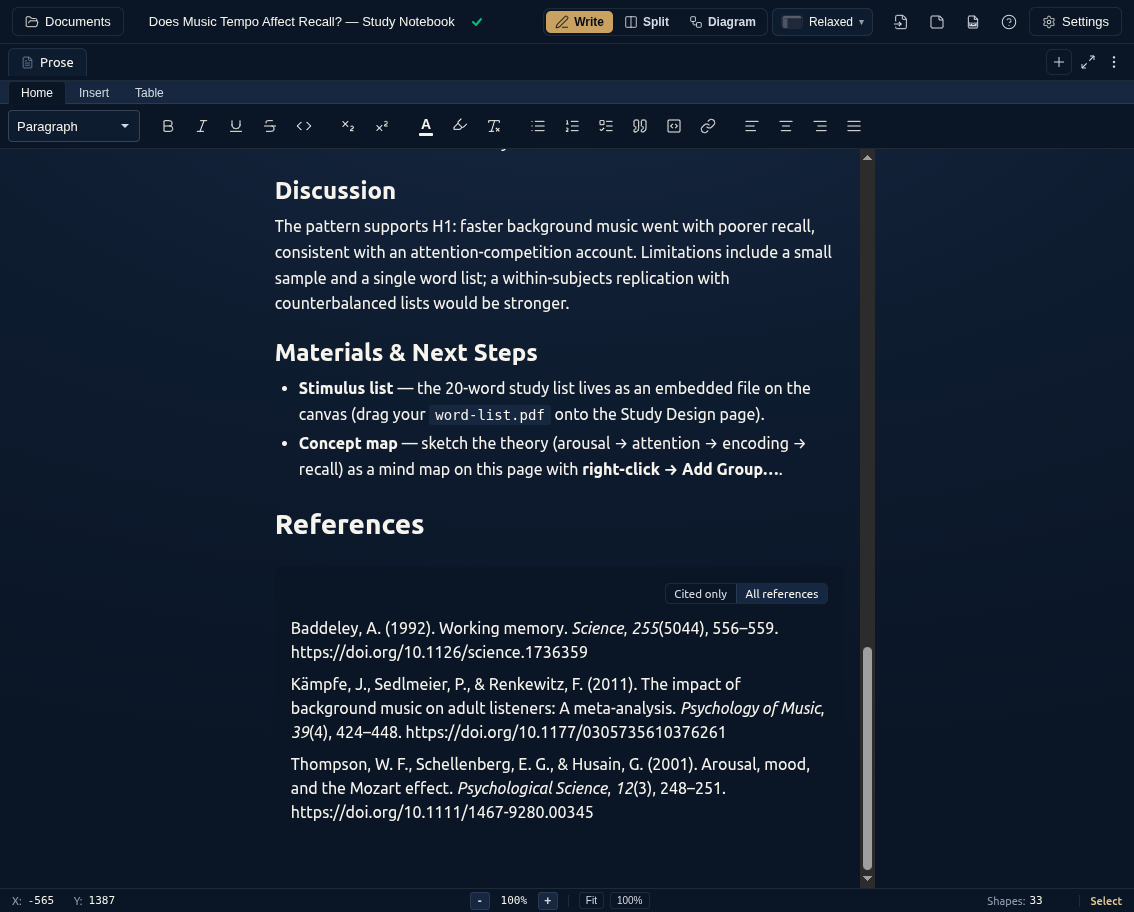
Citing a Source
Type @ in the document editor to start a citation. An autocomplete menu opens showing the references already in your document's library — keep typing to filter by author, title, or year, then pick one to insert an inline citation.
The citation is a live element, not plain text: if you restyle the document or update the source, the inline marker and the bibliography update together.
Adding References
You can build the document's reference library a few ways:
Paste a DOI
The fastest path: copy a DOI (a bare 10.xxxx/... identifier or a doi.org URL) and paste it into the editor. DocuShark resolves it to a full reference, adds it to the library, and turns what you pasted into an inline citation.
TIP
The pasted text appears immediately and is replaced with the citation once the lookup returns — nothing is lost if the network is slow, and duplicates are merged automatically.
From the Citation Menu
Use the @ menu to search and insert references you've already added, so the same source is only stored once per document.
Cite an Embedded PDF
Open an embedded PDF in the file viewer and click Cite in the header. DocuShark scans the PDF's metadata and first pages for its DOI, resolves it, and adds the full reference to the library. If no DOI is found you can paste one, or add a minimal reference built from the file's details and fill it in later.
Bibliography
Insert a bibliography to list your sources in a formatted reference list. By default it includes only the references you've actually cited, so it stays accurate as you write — no manual pruning.
Citation Styles
References format to a citation style:
| Style | Common in |
|---|---|
| APA | Social sciences, education |
| MLA | Humanities |
| Chicago | History, publishing |
| Vancouver | Medicine, life sciences |
Styles are powered by CSL (Citation Style Language), and references are stored as standard CSL-JSON — so your library is portable rather than locked into a proprietary shape.
References Travel With the Document
A document's references are part of the document. They're included in exports and synced in collaborative sessions, so a teammate who opens a shared document sees the same library and the same citations you do — references are a shared, synced part of the document, not a local-only sidecar.
Working With AI Agents
Citations are also available over DocuShark's MCP surface, so an AI agent can add references and resolve DOIs while drafting a document for you. See the AI Agents (MCP) page for how to connect one.