
Tutorial: A Content Creator's Plan
Running a channel means keeping ideas, a calendar, a production process, and your sources straight — usually across five different apps. This walkthrough puts them in one DocuShark document: a science-explainer channel content plan with a topic mind-map and a production pipeline.
What you'll build: a channel plan — content pillars, a publishing calendar, a performance table, a topic mind-map, and a production-pipeline diagram.
You'll learn: the Add Group mind-map, linking a diagram page, tables for planning, light citations for fact-checks, and working across devices.
Before you start: open DocuShark.
Want the finished version?
Download this channel plan as a .docushark and import it to explore the end result, or browse them all in the Example Gallery.
1. Set up the plan
Click New, name it Curious Minds — Channel Content Plan, and add document fields for Channel, Quarter, and Host. Write a short positioning line and your content pillars as a list — the recurring themes every video ladders up to. See Document Fields.
2. Build the publishing calendar
Plan releases in a table — a row per video, columns for Date, Topic, Format, and Status. Update Status (Scripting → Editing → Published) as you go, so the whole quarter is visible at a glance.
| Date | Topic | Format | Status |
|---|---|---|---|
| Oct 4 | Why is the sky dark at night? | Explainer | Published |
| Nov 1 | How we weighed the Earth | How We Know | Scripting |
3. Map your topics with a mind-map
Ideas cluster better visually. On a prose page, right-click and choose Add Group… to drop in a mind-map, then branch each pillar into episode ideas. It's quick to reshuffle as the backlog grows — far nicer than a flat list for spotting gaps and themes.
4. Diagram your production pipeline
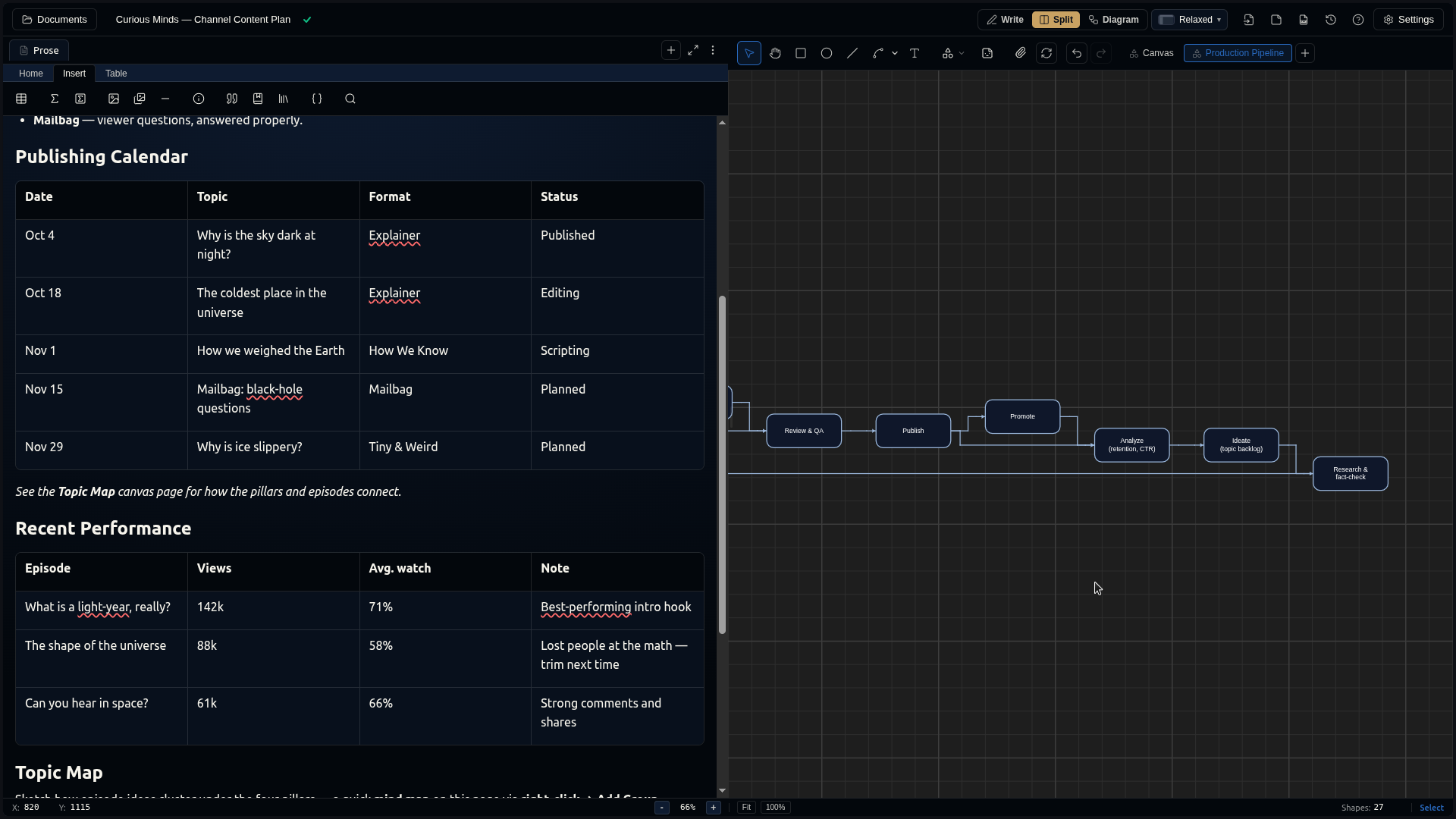
Add a second canvas page named Production Pipeline and lay out your workflow with connectors (C): Ideate → Research → Script → Record → Edit → Thumbnail → Publish → Promote → Analyze — and loop Analyze back to Ideate so the diagram captures the feedback cycle. Link it from your prose so collaborators know the process. See Multi-Page Documents.
5. Track what's working
Add a performance table — past episodes with views, average watch time, and a note ("lost people at the math — trim next time"). Keeping the numbers next to the plan turns each quarter's review into a two-minute read.
6. Keep your facts honest
A science channel lives on accuracy. For claims you cite on-screen, keep a small reference library and drop inline citations into your notes — a primary source per episode, always to hand. See Citations & References.
7. Plan on the couch, publish from the desk
Your plan syncs across devices — jot an idea on your phone, flesh it out at your desk. Install DocuShark as a PWA and try the mobile layout; mark the plan available offline so ideas never wait for signal.
What you learned
You built a channel plan that holds your pillars, calendar, topic map, production pipeline, performance log, and sources — one synced document instead of five apps.
Next steps
- Whiteboard & Ideas — fast, freeform brainstorming.
- Connect an AI Agent — have an agent turn a topic into a scripted outline.
- Collections & Tags — organize a season of plans.